Exercise 5.4: Printing

In this exercise you can use any images created elsewhere in the course, to print onto the paper samples you collected earlier.

Active experimentation
You are encouraged to be experimental in these exercises; it doesn’t matter if you make a mess or get things wrong in the images you make. It is important to reinforce this message at this point in the creative process, as often people tighten up when they think they are embarking on the final piece, and lose some of the fluidity and spontaneity of their original ideas. We want to keep the visual outcome of this exercise fresh and not stultified by perceived conventions of what is ‘right’.
When you’re exploring visual ideas and processes, the outcomes may not always be what you thought they would be at the outset. You won’t always get it right the first time, and this is how it should be. By repeatedly trying out and experimenting with the materials and ideas at hand, you’ll discover new ways of working. Occasionally ‘mistakes’ turn into happy accidents and prompt a way of working, or technique, that you might choose to deliberately recreate and integrate into your next project. For example, one colour may bleed into another, or your coffee cup might leave a stain on your working paper. Instead of throwing these elements away, you could integrate them into your design process.
Organising images
When you’ve created a set of images, scan or photograph these to create digital files – JPEGS or TIFFs on your computer. Make sure the resolution is set at 300dpi. Having gathered all the images together in one folder, consider how you’re going to print them. What order will the images appear in? At what size? How will the image appear on the page? Which paper will you use for which image? Do you have a particular image in mind for a particular piece of paper? Will you try printing the same image on different sheets of paper?
Draw a simple flatplan as a guide to working out how and where the image will be placed on the page, whether you will include any text, and to explore how the idea of ‘narrative’ might work. You might set up your page layout in DTP software, and work with your images digitally in this way, or you may simply print direct from your photo editing software onto the paper samples.

Printing
You may choose to use a desktop printer to output your images, or you may research other print methods such as screen-printing or etching. Print at least 16 pages using the images you’ve created on the paper samples you have collected.

Design process

For this exercise, I thought I can use the images that I made so for in my course. I chose 16 images and 8 different papers, some from G.F SMITH and the rest from the papers that I had at home. As some papers are coloured, I decided to make them all B & W to be able to compare them based on the type of the papers.

For the layout, I made it landscape but then change the layout as I thought it would work better with my printer.

First flat plan
Second flat plan
Working on Indesign

I made a document with 8 pages in Indesign and put 2 images in one page. Then make them all B & W.

JPEG images
Print

Results

G.F SMITH – Cranes Crest, fluorescent white

This paper is very similar to the normal A4 copy paper with a bit more texture and a bit heavier. It came out of the printer easily. Considering the type of the printer, which is a very basic home printer the images are quite sharp.

G.F SMITH – Sketch natural, ivory

This paper has a hairy like texture and it’s 120 GSM. Came out of the printer easily. It’s smoother than the previous paper so the images are sharper.

G.F SMITH – Neenah Environment, desert storm

This paper is a recycled paper, it’s 90 GMS and got some texture but has got a smooth surface. I personally like the colour and it’s earthy feeling. It might not be a good choice for an elegant result but it is an environmental friendly.

G.F SMITH – Colorplan, rust

This paper is 135 GSM and has a Fabric finish. I really like the texture and colour. It’s very vibrant and the texture is very interesting. I think It’s a good choice for some modern brochures.

G.F SMITH – Wild, Clay

This paper is quite thick, 150GSM and I was worried that my printer couldn’t handle it. However, it came out fine. The texture is quite strong so the images are not very sharp.

Cartridges paper

This paper is whiter and much heavier that normal A4 copy paper. It is very smooth so the images are quite sharp.

Sugar paper, yellow

This paper is very light with lots of texture. It’s a recycled paper so it’s got a rough surface and not very strong for hard use. The quality of the images are very low.

Sugar paper, pink

This paper is the as the previous one but different colour. It’s nice to see that just by changing the colour how the effect will change. Although it is a recycled paper, it’s not very practical for everyday use.

Self – reflection

That was an interesting exercise to see how the effect and quality of the print with the same default would change with different kind of papers. The printer that I used was a very basic home printer, I assuming that the result would depend on the printing process. Obviously, there are a massive range of papers available with different finishes so the end results would be very interesting

Exercise 5.3: On press

Adrian Pipes’ O n Press chapter, from his 2009 P roduction for Graphic Designers manual, provides a thorough overview of the print process, both historically and practically. Exploring paper, the raw materials that make it, recycled, handmade and manufactured paper, and other stocks; various qualities of inks; various printing processes, including emerging technologies; print finishing and binding; and interviews with a number of book designers.
Chapter Six – On Press (p.165 – 219) in Pipes, A. (2009) P roduction for Graphic Designers, 5th Edition, London: Laurence King Publishing, is available to you as a resource on the OCA student site.
“There is a long-standing misconception to to learn the craft part of any profession can be a chore. The temptation is to jump right in there and get on with the creative stuff. Print production, in particular, with its many different stages and processes, can seem dull… [however] Graphic designers are both artists and craftspeople… And when you have learnt all about print production, the creativity will be able to come shining through.”
Alan Pipes, P roduction for Graphic Designers (5th Edition), 2009. London: Laurence King Publishing. Page 11
Consider which aspects of the print process might feed into your creative decision making process. Where do the connections between artist and craftsperson sit within your work? Use your learning log to reflect on this.
Identify your nearest local printer. If possible, introduce yourself with the aim of arranging a short tour of their production process, from computer through to finished article. Seeing the printers at work helps to put the theory into context and can clarify certain parts of the process you may be unsure of. If the printer you find does print books then so much the better, but any medium-sized printers will no doubt print flyers, brochures and similar material. They will certainly have machines for reproduction, printing, folding and binding, which would be relevant to your research into printing books. Don’t be shy about getting in touch. When you explain you’re a student, printers often enjoy taking time out of their regular schedule to show people ‘round the works’ – but be aware that they do have busy schedules, so take advantage of any time they offer you! Take your camera and ask permission to photograph the machinery and production line, as an aide-memoire. Similarly, take your notebook and document the visit – you can incorporate this research later into your learning log.
Alternatively, you may want to concentrate on online options, such as PDFs or print on demand. Investigate these through internet research, documenting your key findings in your learning log.
Any visit may provide valuable research material for you, and of course the printer may prove a good contact for you in the future.

Design process

The five major printing processes are distinguished by the method of image transfer and by the general type of image carrier employed. Depending upon the process, the printed image is transferred to the substrate either directly or indirectly.

In direct printing the image is transferred directly from the image carrier to the substrate, examples of direct printing are gravure, flexography, screen printing and letterpress printing processes.

In indirect, or offset, printing, the image is first transferred from the image carrier to the blanket cylinder and then to the substrate. Lithography, currently the dominant printing technology, is an indirect (offset) process.

Creation process

  • Size of the book
  • Font selection
  • Colour palette
  • digital or physical
  • Paper stock
  • Finishing
  • Bounding
  • production

Blurb

In 2005, Blurb founder Eileen Gittins wanted to do something she thought would be relatively simple: Make a book of her own photography. The “make a book” part was possible, sure, but the costs were prohibitive. And the “simple” part? Not so much. “Why,” she thought, “should anyone have to take out a second mortgage and hire a small army just to publish a few copies of their own book?”

…there was an idea.

One year later, in 2006, Eileen launched Blurb, the world’s first platform for creating, printing, and publishing independent books. The democratization of illustrated publishing had arrived. But these weren’t just any books. They were beautiful, bookshop-quality books on premium paper stock with archival-quality binding. And anyone could make one. Literally, just one. Or two. Or ten thousand. Blurb was one of those amazing big-picture ideas made real: A mash-up of creative freedom with print-on-demand technology. It was groundbreaking. It was liberating and empowering and thrilling. And people like Eileen started making the books they’d always dreamed of, but never thought they could make.

As it turned out, the idea was a popular one

Fast forward to today. To date, Blurb authors have created more than two million books since the company started, with a new book created every minute. The books are as amazing and varied as the people making them. Photo books, cookbooks, travel books, children’s books, graphic novels, not-so-graphic novels…the list is endless. “If you build it, they will come” has never been more true than at Blurb. The question we’ve always asked our customers has been, “What will your book be?” Now we browse our online bookstore and wonder “What can’t a book be?” Because every day Blurb book-makers continue to astound us with unique takes on what constitutes a book.

Mixam

Our advanced online technology makes ordering your print simple and puts you firmly in control.

Simply choose your desired item from one of our product tabs and enter your details for an instant quote. No lists, no grids, no forms to fill in.

Toggle options to see different prices to suit your budget; there’s no need to start again.

Our user-friendly system even let’s you manipulate your uploaded files. Once your file is uploaded to our servers you can view your proof, change page sequence, add blank pages, rename files, or delete entire pages altogether.

The Mixam way:
  • Advanced and user-friendly ordering system
  • Instant prices
  • Online proof
  • Email your quotes
  • Create an account and archive orders
  • Ability to manipulate files after upload

I knew Blurb before and had some experience ordering from them. I’ve just had some research about Mixam printing. I’ve ordered a sample book from Mixam. Hopefully after seeing their sample books and comparing the prices, I would be able to decide which online printer, I am going to choose.

Resources

Exercise 5.2: Planning your workflow

However you plan to work in the production of your book, spend some time now planning your workflow, using the notes above as a guide.
Think about how much flexibility you can allow yourself – don’t put yourself under too much pressure. At the same time, be aware of time constraints that may be outside your control. If you’re using a local printer, for example, make contact as soon as possible. Your printer may have a limited timeframe for doing your job and you’ll need to factor this into your workflow.

Scoping

This part is really depends on whether to use online or physical printer. What size would be and how much would it cost. I probably would be starting doing some research about online printing, so I guess this step can be done in 1 week.

Research and development

Before starting, I need to do some research about online and physical printing, similar books. I need to decide about the software I’m going to use and the format that the printer needs. Also, I need to make a mind map and a mood board based on my research. This probably takes 1 week.

Creating text and images

First, I need to decide how I want my art work to be displayed. I need to design page layout, cover and flat plan. The size is another aspect that needs to be confirmed as it can affect the whole layout. Then collecting or creating images for my book. I’ve already got some ideas about my book so for this stage, I think 1 week would be enough.

Sample page

Making thumbnails and sketches, on paper and digitally. I need to make a sample book, a small and basic version of my final book. To make sure overall design works well. In this stage, I need to decide about typeface and final images. (2-3 days)

proofing

I need to make sure that everything is ready for the print. I will use my desktop printer to examine all the details and make correction as needed. It can be done at the same time as sampling pages.

Print preparation

All the files needed to be checked and make sure they’re ready to be sent to the printer. As I needed to do my research about the printer and the timeline, hopefully this stage will be straight forward and without any issue.

Exercise 5.1: What is your role?

Working with the outlined publishing models, identify the various roles you (and potentially others) will be undertaking for assignment five. For example, you’re likely to be writing your own content, designing your book, editing and reviewing it. You may also be involved in the production, printing and distribution process. Consider each aspect of the book assignment and briefly list what roles you think you’ll be doing, and what these roles entail. Also make notes of the roles of others who might be involved in your assignment and what their contribution is.

Artist/Designer/Author

Designers are responsible for how a book looks and feels, ensuring maximum impact and readability. Some publishing companies have in-house design teams, but many now use freelance designers. Working closely with the production department, designers usually work on every aspect of a book, from the cover design to the size and typeface. Depending on the publisher, there may be specialist roles for picture researchers and text designers.

Publisher

The role of Publisher requires knowledge and experience of editorial content, sales, market trends, finance and strategy. Alongside meeting with potential new sales partners at trade fairs, it is their responsibility to monitor trends and curate books to put together a publishing programme that appeals to all the markets and territories the company is present in. They manage the company’s wider budgets, P&Ls and finances and work collaboratively with all the other departments.

This would be me. It will be any research, writing or any art work to include.

Editor

Editors are usually involved in every aspect of publishing a book: coming up with an idea, commissioning an author to write it, liaising with other departments to come up with design and marketing ideas, and even writing the copy on the book jacket.

I will edit my own work, also using some feedback from friends and family.

Production

Production departments take the manuscript and design elements and transform them into a finished book. Production teams take on project management roles and can get involved with anything from ordering paper to getting quotes and negotiating prices on typesetting, printing and binding. Shops will be expecting the book at a certain time, so it’s crucial that the production runs to schedule.

In this case, some part will be my responsibility, like thinking about the materials, typesetting and maybe printing/ binding. Print and binding might be with an external company.

Printer

The printer would most likely be an external company which would need to be researched and a relationship cultivated with to achieve the best results when producing a book.

It will be an external company, if I want to have the best result. I need some research to find the best place for my need, online or physical publisher.

Distribution

Distribution departments operate at some publishers, although some use a third party. A large warehouse may have up to 20,000 titles and must send books across the world. There are many challenges involved in stocking and distributing books: some have a quick turnover, while others sell slowly, but in regular quantities. Sophisticated stock management systems have been developed in order to deal with this efficiently.

As it’s not going to go into the full production, this role will not be needed.

Retail

Retailers sell books to consumers. Typical book retailers include online bookstores like Amazon.com, retail (physical) bookstores, chain stores, and specialty stores. Some retailers do advertising, usually for bestsellers and books from big-name authors, but the author and publisher bear most of the responsibility for generating demand from consumers.

This job will not be needed in this case.

Sources

Research task 5.1: Book Fairs

The list below is showing a range of art book fairs, both independent publishers
and independent designers and artists. Research the book fairs online and explore the wide range of books by independent publishers, to gain a better understanding of the variety of books and publishing possibilities. You might want to visit one of the fairs in the future and explore the books.
● Offprint London: http://offprintlondon.com/
● Art book Fair London: http://www.whitechapelgallery.org/events/london-art-book-fair/
● Small Publishers Fair: http://smallpublishersfair.co.uk/
● International Contemporary Artists’ Book Fair : http://www.leedsartbookfair.com/
● The Sheffield International Artists’ Book Prize: http://artistsbookprize.co.uk/
● Dublin Art Book Fair: http://www.templebargallery.com/gallery/exhibition/dublin-art-book-fair-2 016
● BABE Bristol Artists’ Book Event: http://www.bookarts.uwe.ac.uk/projects/babe.html

Offprint London

In collaboration with Tate Modern and curator Simon Baker, Offprint London dedicates a special space for photobooks, inviting independent photobook publishers from all over the world.

Along with photography, books on contemporary art, graphic design, literature, poetry, philosophy, and experimental music were on sale.

Across the weekend, a series of workshops and performances were organised by Bruno Ceschel, founder of Self Publish, Be Happy.

The fair was designed to “showcase an alliance between printed strategies and digital cultures within the art world, presenting concrete examples of the contemporary dissemination of artistic practices.”

London Art Book Fair

For four exciting days, creative and cutting-edge publishers, big and small, transform the Whitechapel Gallery into the London Art Book Fair. Discover a vibrant mix of art books and magazines from around the world.

Convened by associate curator Amy Budd this year’s public programme for the London Art Book Fair brings together some of the most innovative art publishers into dialogue around key questions in the industry today, alongside presentations by London-based artists, curators and poets working with text, publishing and performance.

Small Publishers Fair

The Small Publishers Fair brings to Conway Hall sixty five publishers from across the UK and further afield. It is a snapshot of some of best small press publishing around today and includes artists’ books, fine press editions, poetry pamphlets and zines.

Visitors to this free event come to browse and chat with publishers. Most of the books are limited editions and hard to find. Prices range from £1 to £200.

The Fair and the publishers themselves are proud that the event takes place in Conway Hall, the great centre of humanism and literary Bloomsbury.

In addition to the book fair there’s a special exhibition about London publisher Test Centre (2011-2018), and there are readings, talks and book launches.

International Artists’ Book Fair

The International Contemporary Artrists’ Book Fair held in Leeds is the longest running artists’ book fair outside of London. It celebrated its 20th anniversary in March 2017. Throughout its history the Fair has attracted national and international participants and welcomed thousands of visitors from across the UK. Since 2014 it has been held at The Tetley and co-curated with PAGES, the organisation run by AWP co-founder Dr Chris Taylor.

The Sheffield International Artists’ Book Prize

The Prize was established in 2008 – with the aim to develop the profile of artists’ books and increase their audience – and attracted over fifty entries in its inaugural year. Since then the project has grown to become a biennial exhibition with an international reach, in 2011 attracting 180 entries from 22 countries. Having secured funding from Arts Council England and sponsorship from Open College of the Arts, the organisers hope the 2013 edition will be their biggest yet.

Dublin Art Book Fair

Dublin Art Book Fair champions artists and creative, small and independent publishers, Irish and international, with books on art, design, visual culture, philosophy, architecture, select fiction and poetry. With an unprecedented quality of submissions for the Artist Book Section received this year, you can look forward to a particularly strong representation of books made by artists.

BABE Bristol Artists’ Book Event

The first Bristol Artist’s Book Event (BABE) was organised by Sarah Bodman and Tom Sowden in collaboration with Peter Begen and Snoozie Claiden at Arnolfini in 2007. It has since grown into an international event showcasing artists’ books to the public over a Spring weekend every two years. Since its first outing, BABE has established a great reputation as a relaxed and friendly event to meet and talk to book artists about their work and buy works of art.

Assignment Four: Altered book

Brief

“All books are visual. Even books which rely exclusively on type, or on unusual materials, or chose which contain only blank sheets have a visual presence and character. All books are tactile and spatial as well – their physicality is fundamental to their meaning.”
Johanna Drucker, The Century of Artists’ Books, 2004. Granary Books Inc. Page 197.
Using a found book, significantly alter the appearance of the pages to create a new volume that is personal to you. This can be any kind of book that is of interest to you. For example, a fiction book, a non-fiction book, a picture book or a photo book.
Approach the found book in a very physical way, manipulating the pages and paper inventively. If you need to, stitch or glue a number of pages together to reduce the ground you need to cover. Decide what to remove from the book, and what to add. Use the found book as a source of ideas and inspiration – the existing text may inspire illustrative, conceptual images, collages or typography as image. Embed, overlay and integrate your work into the existing pages using whatever materials, media and processes you feel necessary. This may be digital, hand-rendered, photographic, textile, or a combination of all these and more.
Think about the relationship between the content and the form, the design (text and images), the materials you use, such as papers. Perhaps you are creating a new sequence within the book?
Change the book from its original form into a different form, altering the appearance and/or meaning. Apply an inventive, intuitive response to materials and how these can be exploited within the context of the altered book.
Refer to your contextual research into artists and designers in the unit so far. Use elements of your research as inspiration and to inform your book-altering practice.

Reflection
Write a paragraph reflecting on the assignment and reflect on your process and decision making. Are you looking in a different way to meaning, materials, design and the form of the book?

Analysing the brief:

  • What is the brief asking? Altered book
  • Who is the target audience? Anybody who is interested in altered books.
  • What things need to be included? Manipulating the pages and paper inventively.
  • How will it be produced? Change the book from its original form into a different form, altering the appearance and/or meaning. Apply an inventive, intuitive response to materials and how these can be exploited within the context of the altered book.

Keywords:

  • Altered book
  • New volume
  • Personal
  • Any book
  • Manipulating pages
  • Various materials

Primary research:

What Is An Altered Book?

An altered book is an art object that has been created from an existing, printed book. The book is altered through whatever means and media the artist chooses. This generally means using the book’s pages as a canvas on which to apply paint, collage or rubber stamping. It could also mean cutting into the book to create a more sculptural piece.

Approaches to book altering are as varied as the artists who undertake them. A textile artist or quilter might choose to use fabric to alter their books. A rubber stamper might opt to stamp and use inks and sprays. A painter could use a book as a canvas for several works in acrylic, watercolour r, or oils. Each artist brings their own skills acquired in other creative pursuits, and applies them to the same general surface: a printed book.

Some altered book artists choose to work within a certain theme throughout the pages of a book, while others see each page as a work that stands on its own. Some artists choose to work collaboratively, in exchanges or round robins, where books are passed around a group of artists, each adding her own work to whichever book she has at the moment.

2013-01practice

But I Would Never Deface a Book!

Many altered book artists have experienced the hand-wringing and wailing that comes from people who believe that books are sacred objects, and should never be defaced. If you’re one of those people, let me put your mind at ease:

  • Most altered book artists work in old books. Not museum-quality old. Back of the used book store, marked down to nothing, nobody has any use for them any more old. We work in books that, if not purchased for art, will be shredded for pulp.
  • Many artists check the books they buy against vintage book listings, to ensure they are not about to cut into a book that still has value. In general, if you bought a book for a dollar, Googled it when you got home, and discovered a copy of it was causing a bidding war on eBay, you probably wouldn’t cut into it. Neither would I, nor would any other reasonable person.
  • Some artists have a personal list of books they absolutely would not use for altering, no matter how old or inexpensive it might be. Some (but not all) would pass on working in a Bible, Quran, or other holy books. Some might prefer not to work in a book of another artist’s images, as in a tabletop art book.

Altered book artists respect books in a way that is second only to librarians. Never fear: we are not defacing books that anyone wants or needs. We are resurrecting old, unloved books, and turning them into art!

How To Choose a Book For Altering

If you’re looking for a book to alter page by page, you’ll want to consider a few things. You should probably choose a book that’s constructed with a sewn spine, filled with soft paper, in a size you can live with.

Things to look for:

  • Size. I like to work big, so I hunt for large books. You might like to work smaller. This is a personal preference, and one that you will develop as you work. If you’re choosing your first book, don’t feel you have to know what the perfect size for you might be. you’ll learn that as you go.
  • Paper quality. I like pages that feel like they have a lot of cotton in them: soft to the touche, and sturdy. That usually means choosing an older book. Avoid books with glossy pages.
  • A sewn spine. Check the headband to be sure it’s soft and loose, with scalloped ridges where groups of pages (signatures) are attached. Look for the beginning of a signature, and check it at the spine for stitching.

Books to avoid:

  • Paperbacks. In general, paperback books aren’t sturdy enough to withstand altering.
  • Glued bindings. Pages that are glued into the spine rather than stitched will pull out easily.

Preparing Books To Alter

If you’re going to alter a book in a way that adds even a little bulk, you may want to prepare it first, by removing some pages.

Now What?

Once you have your book prepared for altering, use whatever creative skills you have to fill it! The one and only rule about altering a book is that their are no rules. Whatever you feel like doing to your book is fine. Draw in it. Doodle in it. Paint in it. Light it on fire and throw it in the bath tub. (I really did this. Twice. Both times, for books concerning fire.)

Mind mapping

Mood board

I’ve collected some examples of Altered Books from Pinterest.

My book

The book that I have chosen for this assignment is “I’ll be there” by Holly Goldberg Sloan. This is a romance book. I decided to add lots of hearts, butterflies and flowers to my design to match the genre.

Design process

I started by cutting some elements from the cover and engraved some heart shaped from the inside the book.

Then I made some heart and butterflies with some pages of the book.

I cut some flowers from the wallpaper sample, which I had. I added more butterflies and 3D heart.

I used watercolour and coloured pens to add some colour to my design.

I covered the back of the book with some wall paper.

Self-reflection

At first, I was a bit confused because I wasn’t sure which book I should choose. However, after deciding about the book, I really enjoyed working on this assignment. I really like art and craft specially making things with paper. I probably could add more elements. I wasn’t quite sure where should I stop not to overdo my work, I thought it might get very tacky if I add loads of elements to it. Overall, this assignment shows my interest to flowers and paper crafts.

I’ve learnt a lot about book design and the process of making a book both as a normal book and a decorative book. I hope I will be able to use my knowledge in the future.

Sources

Exercise 4.4: Collating and binding

Brief

Reflect, evaluate and rework
Having printed your images from the previous exercise, take the opportunity to view all of the pages, reflect on them and evaluate before moving on to the next step of collating and binding the pages together. Which pages are successful? Which pages have not turned out as well as you had hoped? Are there any visual surprises, or happy accidents? Given the experimental and open-ended nature of this exercise, the answers may be quite subjective, but it is important you reflect on these and other questions, to sharpen your self-critical awareness and assessment of your own progress.
You may want to re-work some of the images, and the printing process, and this is your opportunity to do that. You may end up with more and more pieces of printed paper.
Select and collate
Evaluate the strengths and weaknesses in your work and then begin a process of selecting up to 16 pages that work well together as a whole. Do these pages have images on each side of the page, or will the images appear on facing pages only? If you want to create back-to-back images you can work manually to cut and paste images and pages, using spray mount or similar. Equally, you can collage elements of printed ephemera onto and into the pages. Again, the brief is to be experimental, so work inventively with the process, cutting, gluing, pasting and arranging as you see fit. Collate these pages, putting them into a running order from beginning to end.
Binding
Drawing on your understanding of bookbinding so far, bind your 16 pages into a small book format. How will the pages be held together? Consider how the pages might be bound and experiment with solutions. Will you create a cover? Will the pages be stitched, sewn, glued, stapled or will you use another inventive approach?
There are many ways to bind a book, either by hand or by machine. A few examples of bookbinding are saddle stitch, Japanese binding, coptic binding or perfect binding. Consider which binding is most appropriate for your book. There are some good tutorials online of bookbinding and this might be useful for you to have a look at. Try to use one of the bookbinding techniques mentioned above for your own book.

Document the whole process, photograph the book and incorporate them into your learning log, accompanied by supporting work, including pages and images you chose not to include into the final book form.

Reflect, evaluate and rework

Overall, I was happy with my final designs. I spent quite a lot of time on my previous exercise. I think, there are some of them that look stronger than others.

This design is one of my favourites, as it shows movement and it’s energetic. In this collage, I’ve used 3 photos with some geometric shapes and a textured layer on top. I wrapped the text to match the perspective to emphasise on destiny as a vanishing point.

This design is my least favourite one. Although, I think it conveys the message of this part of the poem, I personally think that the images are not very connected.

Binding

Different binding techniques:
1. Saddle stitch binding 

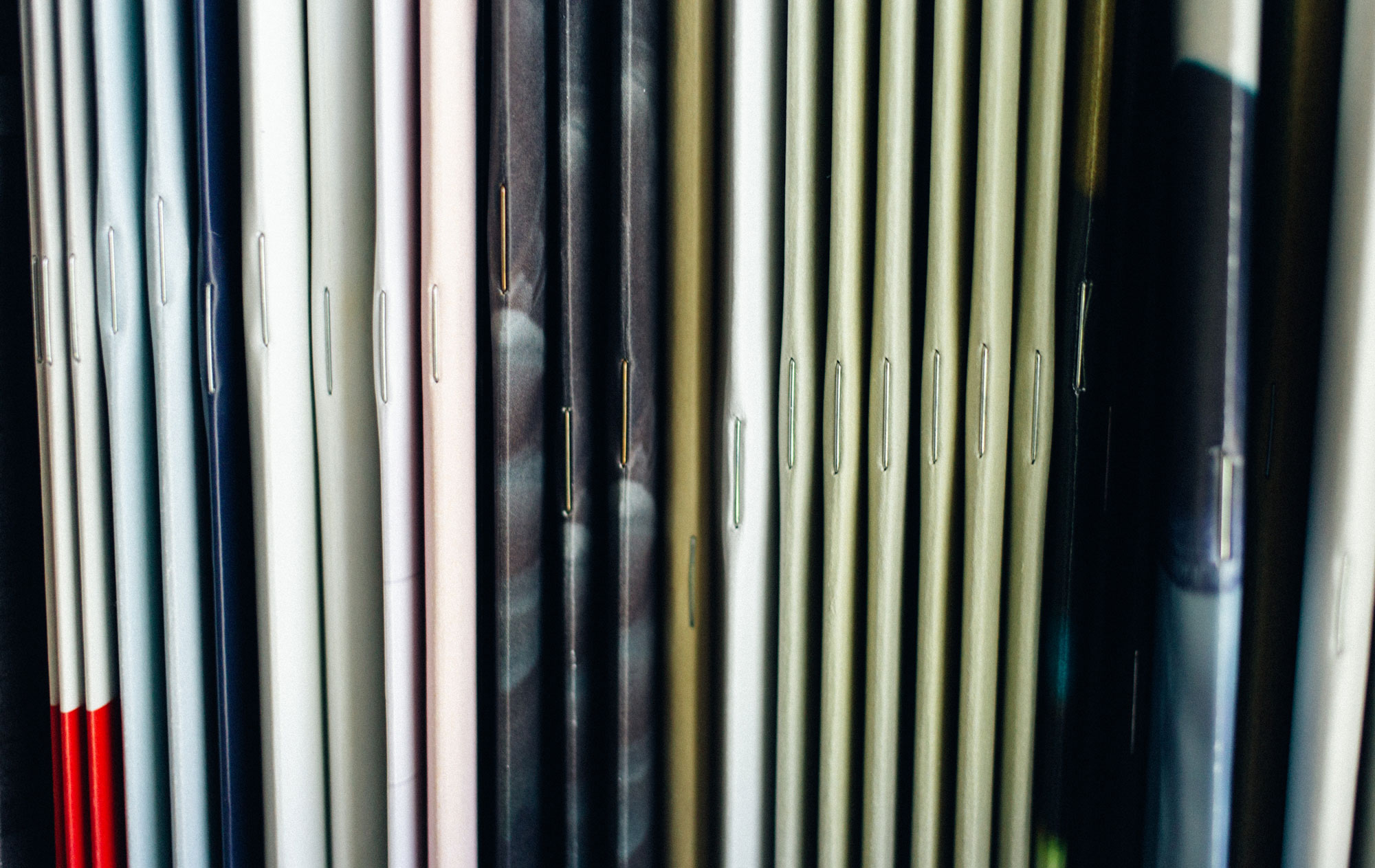
When there’s brevity to be bound, there’s saddle-stitching to be found. Better suited to smaller documents, saddle-stitching is one of the simplest ways to secure printed sheets of paper folded in half. Consider it a professional iteration of stapling that appeals to any cost-effective booklet, brochure, catalogue, program or magazine.

Saddle Stitched Books
2. PUR binding 

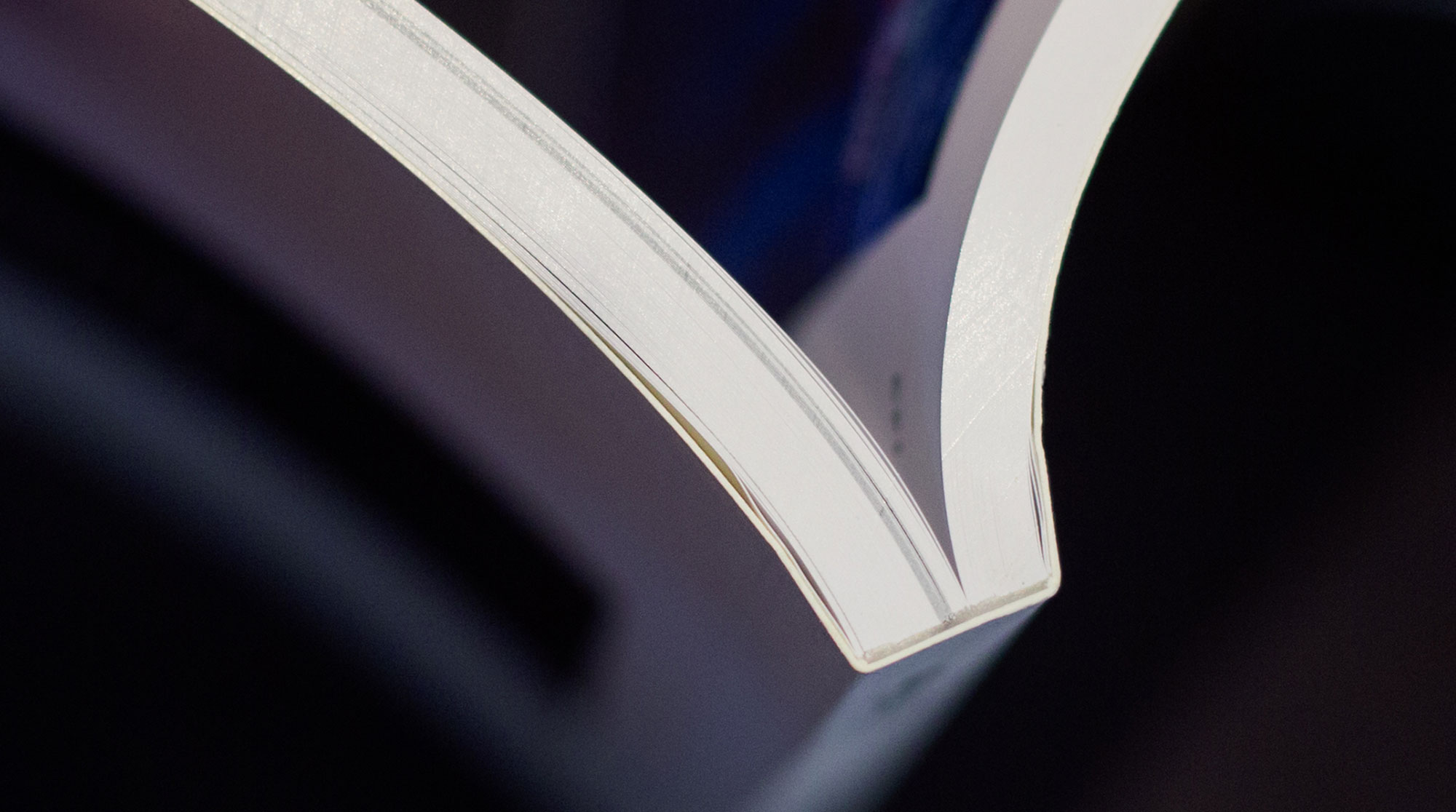
What gives a paperback its clean PUR-fect edges? A process called PUR. You may have heard the term ‘perfect binding’ and wondered what the difference is. Both use a paperboard or heavy cover stock to attach pages to the spine with glue. But while the two applications are similar in concept, a PUR-bound document uses a special kind of adhesive known as polyurethane reactive (hence where it gets its name from).

If you’re looking to print a paperback, annual report or premium project, PUR makes for a strong, clean spine that’s durable enough to hold heavier stocks.

3. Hardcover or case binding

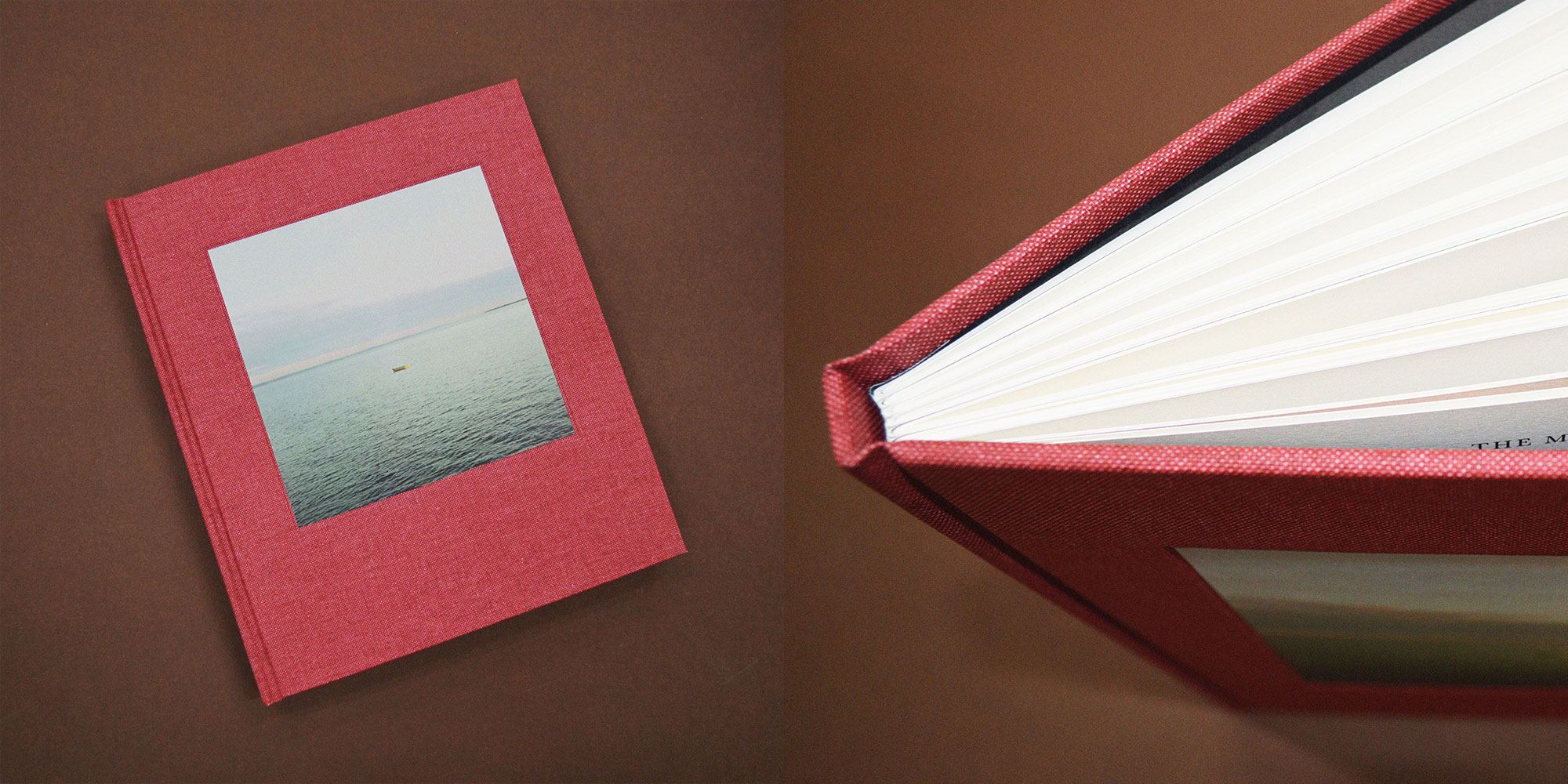
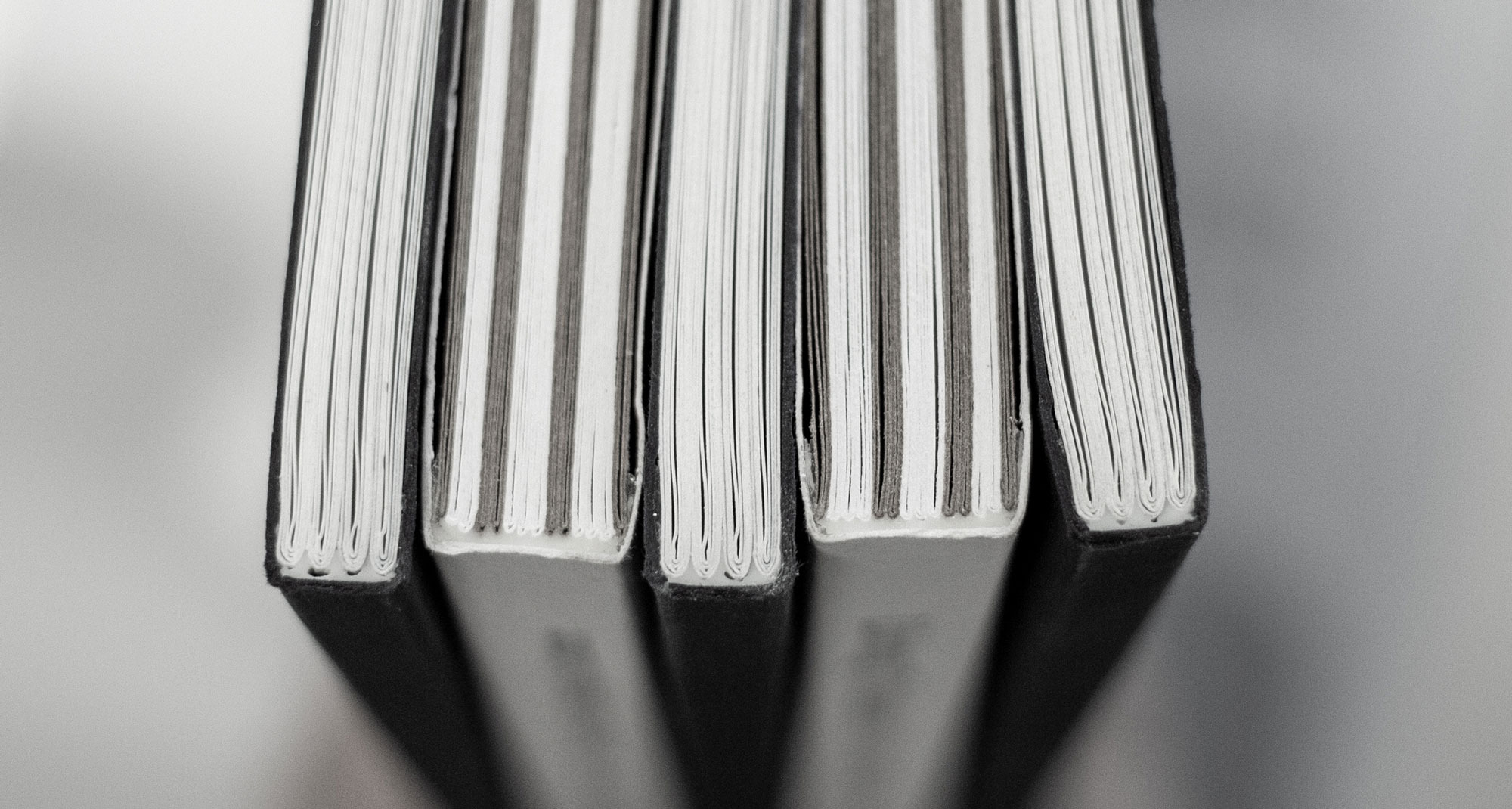
There’s nothing quite like a beautiful book that’s been bound to remarkably high standards of quality. Either section sewn or bound from single sheets, this sturdier option will ensure your book becomes an alluring addition to any coffee table or bookshelf. While a hardcover or casebound book can be more expensive to produce, they do boast a longer shelf life and much higher value.

If you’re planning to sell your work, there really is no substitute. Books bound in a rigid cover and finished with material such as vellum or buckram are often produced with a hollow back and visible joint so as to open more freely.

4. Singer sewn binding

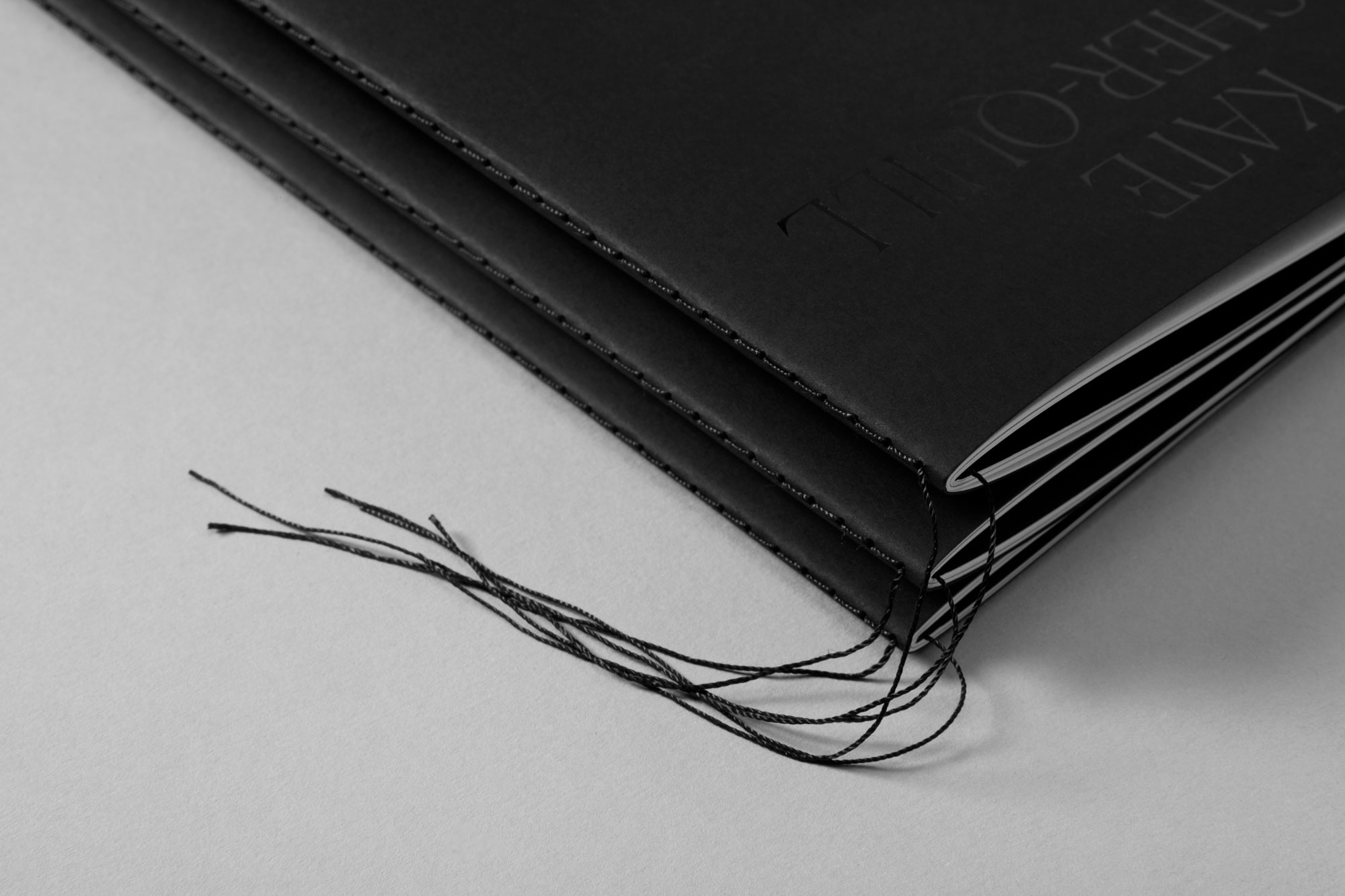
Collating pages for a creative project—looking for something a little whimsical? Singer sewing is a beautiful, traditional method of bookbinding where a single thread (of any colour) is stitched through folded pages at the spine. With no adhesives or staples, this secure binding method is typically used on books with a single section. The stitching can either be visible on the outside or tucked neatly away on the inside.

5. Section sewn binding

As the name would suggest, this type of binding is sewn in sections along the spine and glued together for a sturdy finish. Ideal for small and large documents, section sewing enables you to lay your book out flat regardless of its page count.

6. Coptic stitch binding

Like section sewing, you can lay your documents flat with coptic stitching. Although this method is similar in form, a coptic stitch bind offers a non-adhesive finish. Regardless, this type of binding offers a flexible spine without sacrificing strength. It’s an option that allows you to open up your book completely without affecting its integrity over time.

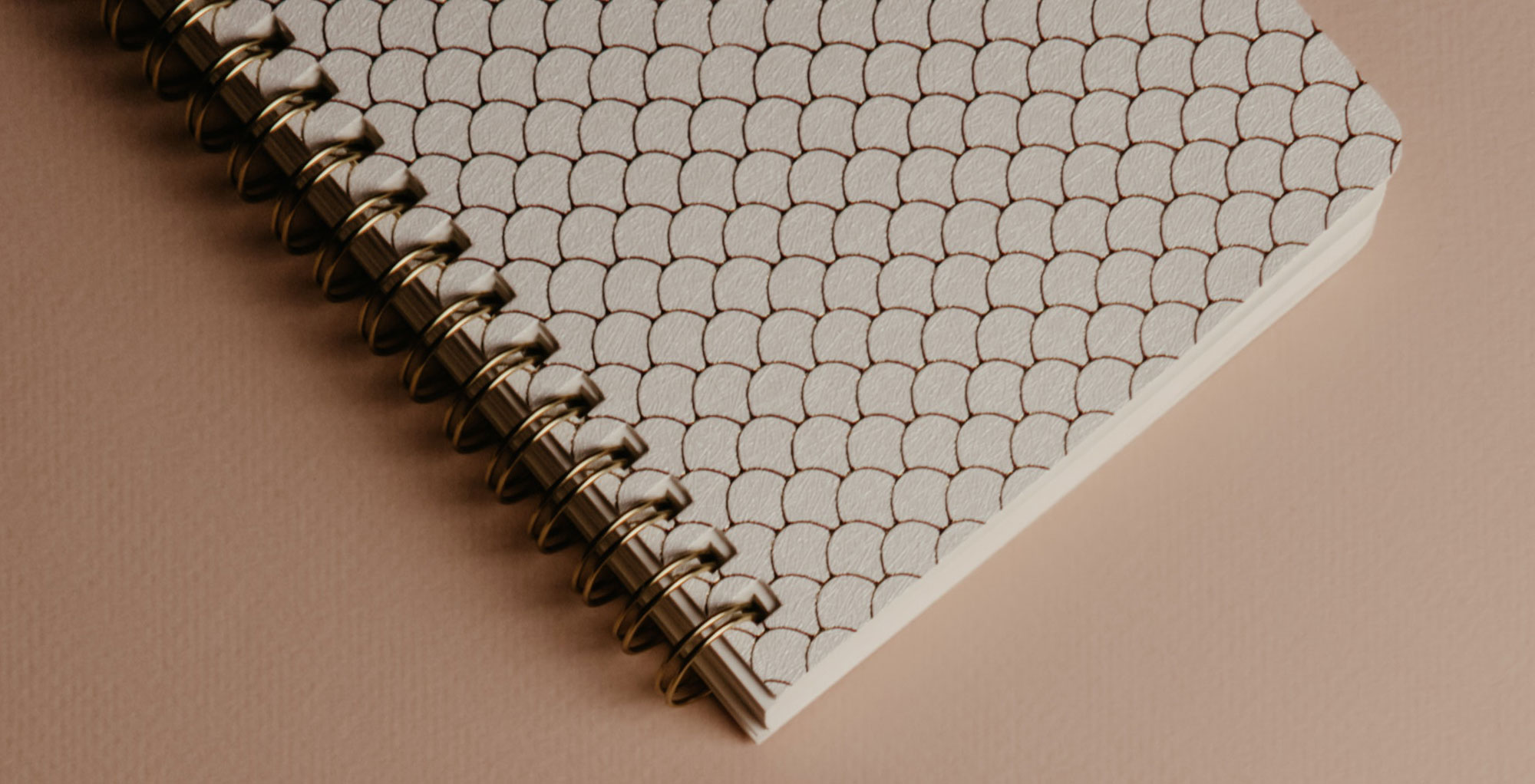
7. Wiro, comb or spiral binding

The quintessential method for commercial documents and school exercise books that involves a simple loop wire and hole puncher. But don’t underestimate the power of a wire, comb or spiral bind. This option is extremely versatile and popular to boot.

8. Interscrew binding

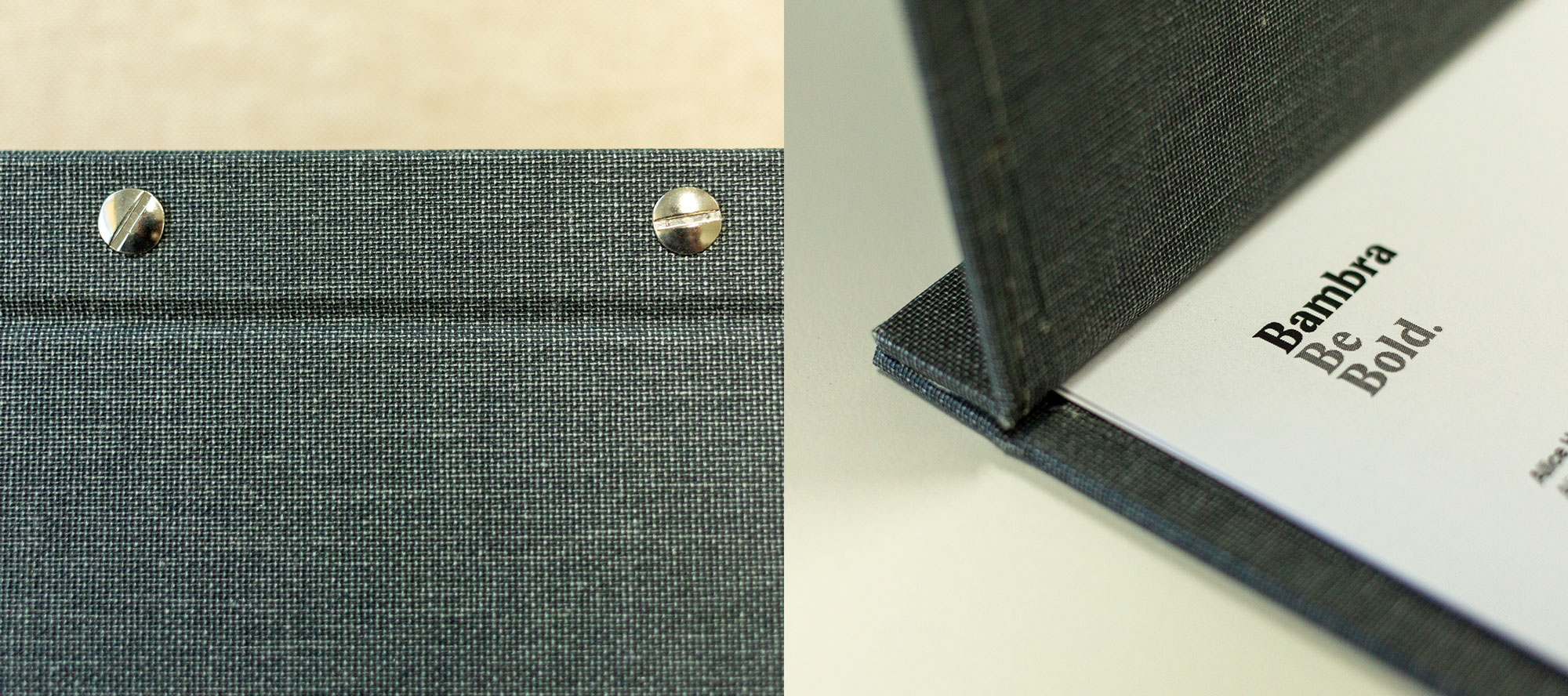
Also known as Chicago screw binding, this exceptionally durable print finish is a great option for any portfolio or office document. Holes are drilled with the utmost precision and fixed with binding screws between two covering boards. This style of binding is a cleaner looking alternative to ring binding and still gives you the ability to add or remove pages as needed, which is great for restaurant menus and portfolios.

9. Japanese binding

A traditional softcover style of binding in which single leaves are laced together with a needle and thread, with the exposed lacing treated as a feature of the style. This method does not allow the book to be laid flat, but its detail and charm adds heart to any journal or notebook.

10. Solander boxes and slipcases

Solander boxes and slipcases are the ideal way to store your archive and/or precious material. It’s a luxurious form of packaging that can be custom-made to your exact requirements. Choose from a variety of styles (shoebox, matchbox, veranda box, clamshell box or slipcase) and embellish your logo or title with flashy foil or debossing.

Page numbering

I decided to make A5 size booklet. Page one is going to be the cover and page 16, the back of the booklet.

I am going to use saddle stitch binding. I know it’s the simplest way of binding, however , it’s the technique that I’ve got all the resources available.

Design process

I used Indesign to make my booklet spreadsheet. As I’m going to use saddle binding I sorted out the pages in the right order. I decided to use my design from exercise 2 as a cover page.

Cover and back
Pages 2 and 15
Pages 3 and 14
Pages 4 and 13
Pages 5 and 12
Pages 6 and 11
Pages 7 and 10
Pages 8 and 9

Final book

Self-reflection

This exercise was very useful for me as it made me more aware of book design process. It is obvious that book design is not just about designing a cover page. In this exercise, I thought about print process and binding in more depth. I just used a home printer so the quality of my work is not very high. However the process was helping me to visualise of what could be a challenge to design a book in a real life.

I just used the equipment I had at home for the binding. I hope I can have a chance to try other techniques as well. I hope I can use whatever I’ve learnt in this exercise in the future.

Sources

Bambara. 10 Book Binding Methods You Need To Know. At: https://bambra.com.au/news/10-book-binding-methods-you-need-to-know/. (Accessed: 17/09/2022)

Exercise 4.3: Sequencing images

In this exercise you’re going to create images which you’ll then print onto the papers you collected in the first exercise. You have been working with the poem Tango With Cows in the exercise ‘Concrete Poetry’, to create an experimental text. Using your interpretation of the poem as a starting point, develop a set of images that you can sequence into a narrative. You can choose to create these images yourself or use existing images.
Joseph Cornell, Untitled (Scrapbook for Tamara Toumanova), 1953. Mixed media. Photo © Christie’s Images. Bridgeman Images.
Idea generation
Create a series of images which will build a narrative sequence over about 16 pages.
Use keywords from the poem as a starting point. Work with images you have created before, developing and changing their contents, or use fresh new ideas and imagery related to the poem. Remind yourself of the creative design process.
Explore the sequential narrative over the folds. Produce a folding document (2 sided) with the images you have created. Try one of the folding systems discussed in part two of the course, Form and Function: Paper folding.

Research and development
A visual narrative is a way of communicating some form of ‘story’. It may be that you interpret ‘narrative’ in a conventional way, using chronological images of how your identity has changed over time, with a beginning, middle and an end. Or perhaps you’ll work in a less obvious way, exploring how your images can be exploited through abstraction and print processes, using the term ‘narrative’ as a vehicle on which to hang your concept of the poem.
The purpose is to interpret the brief to create images that are meaningful to you, plus extend your understanding of image qualities. These images may be paintings, photographs, drawings, film stills – they can be at any scale, in any media and about whatever you want them to be, in the context of exploring the concept of the poem. This is your opportunity to explore some of the features of digital imaging software, such as Photoshop, to layer images, cut out images, experiment with opacity, filters, hue, brightness, contrast and halftone screens, among other things.
For example, can we approach text as image? What happens if you ‘rasterize’ text, then begin to manipulate it, in the same way as you would montage image material. Be creative! Explore!
Remember you have access to Bridgeman and Oxford art libraries online also, if you want to download images and work in this way, but originating your own images will make the project more personal to you.

I used my sketches from last exercise to make my thumbnails.

Thumbnails

Design process

For my designs, I decided to keep them as a series and use the same elements throughout the designs. I used the same colour palette, geometric shapes and the same texture for all my designs.

For the pictures, I used freepik and pexels. I wasn’t sure to add any type or not. At the end I decided to use the “motherland” typeface to add some text to the designs. I used Photoshop to make my designs.

Life is shorter than the squeal of a sparrow.

For the first design, I’ve used an image of a sparrow with open mouth to show it’s squealing. I used some angled lines to echo that. Covered the background with some geometrical shapes. I kept the design simple with limited colour palette. In this stage I wasn’t sure about adding text and the typeface.

Like a dog, regardless, sailing
on an ice floe down the river in spring?

For this design, I used two images; a real image of a dog and an illustration of a boat to indicate sailing. Again the geometric shapes have been used with the same colour palette.

With tinned mirth
we look at our destiny.

A photo of a road has been used to show the destiny. An image of an angled tin that moving towards the destiny with a photo of a girl laughing to represent mirth. The same colour palette and geometric shapes applied.

We – the discoverers of countries –
conquerors of the air –
kings of orange groves
and cattle.

Images of an illustrated cow, a crown to represent a king and an orange tree have been used. I made the photo at the background B&W then added red colour to make the oranges stand out. I decided to use text with “motherland” typeface, as it is very like a Russian typeface.

Perhaps we will drink
a glass of wine
to the health of the comets,

For this design, I used an image of a comet and a glass of wine. By using a blending mode, it looks like that the comet is coming from inside the bottle. The texture layer applied on top.

expiring diamond blood.

Images of a diamond and dripping blood have been used with geometric shapes, the whole poem with texture layer on top.

Or better still – we’ll get a record player.

For this part of the poem, I needed an image of a record player. I liked the figure holding the record player so didn’t remove it. Again, geometric shapes and textured layer applied.

Well, to hell with you! –
hornless and ironed!

I used a hornless cow with an iron. Used a filter to stretch the back of the iron. Geometric shapes and textured layer applied.

I want one – to dance one
tango with cows

I used my illustration of a tango dance as a silhouette at the back in a field with some cows grazing. Removed the colour of the background apart from the cows and added green colour (from the palette) on the trees.

and to build bridges –
from the tears
of bovine jealousy

An image of an eye used on top of the photo of a bridge, using blending mode. Drops of tears added with blending mode.

to the tears
of crimson girls.

I looked for an image of a girl. I removed the colour then added red using blending mode to colour the girl’s dress. Also, some green colour from the palette used to colour the trees in the distance. Again as part of the series, geometric shapes and textured layer applied.

Final designs

The final designs made in Photoshop in size A4.

Mockup

Self – Reflection

I spent a lot of time thinking and organising this exercise. I used my knowledge from previous exercise about the poem and Russian futurist. I read the poem couple of times, made some sketches then the thumbnails.

I didn’t know if I need to keep them as a series or make an individual design. I ended up making them as a series.

I made 11 designs, but used 10 of them in my final booklet.

Resources

Exercise 4.2: Concrete Poetry

Brief

Concrete poetry, sometimes referred to as visual poetry, is a form of experimental typography where the use of letter and word arrangements enhance the meaning of a poem. The typographic treatment of words within concrete poetry starts to add additional resonances through their scale, placement, overlay and styling, suggesting new ways to see and say the poem.
Early examples of concrete poetry were by artists such as Kurt Schwitters and Vasily Kamensky. The development of experimental typography flourished during the 1950s and 1960s with artists such as Dom Sylvester Houédard, Ian Hamilton Finlay and Carl André. Often letterpress and the typewriter were used for experimental typography during this period.
“Inspired by the pioneering work of Mallarmé, Apollinaire, the ‘zaum’ poets, Futurism, Dada, and drawing on the more recent example of Lettrism, the central focus of Concrete Poetry was on the written word as a visual phenomenon. Typography was therefore a central concern, with letterform, weight, scale and page layout all contributing to the meaning of the work.”
Simon Morley, Writing on the wall: word and image in modern art, 2003. London: Thames & Hudson.
“Generally speaking the material of the concrete poem is language: words reduced to their elements of letters (to see) syllables (to hear). Some concrete poets stay with whole words. Others find fragments of letters or individual speech sounds more suited to their needs. The essential is reduced language. The degree of reduction varies from poet to poet, from poem to poem.”
MaryEllenSolt,C oncretePoetry:AWorldView,1968.IndianaUniversityPress.

Critical writing task
Identify an example of concrete poetry and write a short critique of the content, design and the relationship between the content and form. How has the use of typography, layout, and space been employed to help generate meaning? Print out a copy of the poem and add notes directly onto the page. Write a brief summary of your thoughts, feelings and reflections on how concrete poetry creates new meanings.
As a starting point you may want to look at the following artists who practiced Concrete Poetry:
● Dieter Roth
● Max Bense
● Eugen Gomringer
● Ian Hamilton Finlay
● Henri Chopin
● Öyvind Fahlström
● Emmett Williams
● Geraldine Monk
● Mary Ellen Solt
● Ilse Garnier

To explore concrete poetry in more depth you may want to read Mary Ellen Solt’s 1968 Concrete Poetry: A World View, available via UBU: http://www.ubu.com/papers/solt/
Or research the work of individual visual poets at UBU:
http://www.ubu.com/vp/

Visual task
Use one typeface to create a playful design for the T ango with Cows, 1914, by Russian Futurist Vasily Kamensky (poem shown below). Explore and experiment with the relationship between the meaning of the text and the form you present it. Think about what kind of typeface you choose as well, does it reflect the content of the text? How does the paper relate to the design? Decide on an appropriate scale and format for this page. Create a series of sketches and ideas, and chose one to develop into your final design. Print your design on one of the papers you have collected in the previous exercise.

Poem: Tango With Cows
Life is shorter than the squeal of a sparrow. Like a dog, regardless, sailing
on an ice floe down the river in spring? With tinned mirth
we look at our destiny.
We – the discoverers of countries conquerors of the air
kings of orange groves
and cattle.
Perhaps we will drink
a glass of wine
to the health of the comets,
expiring diamond blood.
Or better still – we’ll get a record player. Well, to hell with you!
hornless and ironed!
I want one – to dance one
tango with cows
and to build bridges
from the tears
of bovine jealousy
to the tears
of crimson girls.

Critical writing task

Research – Concrete Poetry

concrete poetry in which the poet’s intent is conveyed by graphic patterns of letters, words, or symbols rather than by the meaning of words in conventional arrangement. The writer of concrete poetry uses typeface and other typographical elementsin such a way that chosen units—letter fragments, punctuation marks, graphemes (letters), morphemes (any meaningful linguistic unit), syllables, or words (usually used in a graphic rather than denotative sense)—and graphic spaces form an evocative picture.

The origins of concrete poetry are roughly contemporary with those of musique concrète, an experimental technique of musical composition. Max Bill and Eugen Gomringer were among the early practitioners of concrete poetry. The Vienna Group of Hans Carl Artmann, Gerhard Rühm, and Konrad Bayer also promoted concrete poetry, as did Ernst Jandl and Friederike Mayröcker. The movement drew inspiration from Dada, Surrealism, and other nonrational 20th-century movements. Concrete poetry has an extreme visual bias and in this way is usually distinguished from pattern poetry. It attempts to move away from a purely verbal concept of verse toward what its proponents call “verbivocovisual expression,” incorporating geometric and graphic elements into the poetic act or process. It often cannot be read aloud to any effect, and its essence lies in its appearance on the page, not in the words or typographic units that form it. At the turn of the 20th century, concrete poetry continued to be produced in many countries. Notable contemporary concrete poets include the brothers Haroldo de Campos and Augusto de Campos. Many contemporary examples of animated concrete poetry can be found on the Internet.

Examples

Analysing

The artist used the word “FORSYTHIA” in an acrostic poem, giving a flower shape by repeating the letters from forsythia like in the Morse code. There are lots of movements by creating branches in different directions. The letters in the main words are quite close. The typeface that is used is serif in two different sizes.

Ian Hamilton Finlay used 3 words in his work: me, you and us. He used a venn diagram as a main shape. I thought, it’s a clever idea to present these three words in a shape of a Venn diagram, as it is showing the relationship between the words. Also, the colours that have been used, are related to the meaning of the words, blue (you) and yellow (me) make green (us).

Reflection

In this exercise, I’ve been introduced to the term “Concrete Poetry”. I’ve never heard of this word, however, I was familiar with the examples. It’s very interesting to see that this kind of design can be used in many different ways to show movement, rhythm and feelings. The design can communicate through the shapes rather than just words. The typeface, capital or lower case letters, punctuations, repetition, scale and spacing can create a specific atmosphere or a new meaning within a design. In some designs, colours have got some meaning too.

Visual task

Research – Tango with Cows

Tango with Cows cover

Tango with Cows by Vasily Kamensky is a key artifact in the history of Russian Futurism, graphic design, visual poetry, and artists’ books. Printed in Moscow in March 1914 on pentagonal sheets of floral wallpaper, all of the book’s poems have a prominent visual form created entirely with typography. The most experimental works in the book—the six so-called “ferroconcrete poems”—dispense with linear order and explore the spatial possibilities of the printed page. The book also includes two illustrations by David Burliuk and one by his brother Vladimir.

Most of the book is about the modern city and modern technology. There are poems about aviation (Kamensky, the first ever poet-aviator, performed exhibition flights before crashing his plane in 1912), the movies, the telephone, the circus, Moscow night clubs, roller skating, and Sergei Shchukin’s collection of modern painting. The poems also make repeated references to the global tango craze of 1913–14.

The extremely innovative typography of all of the poems replaces the conventions of literary typography with those of advertising. Instead of a neutral and unobtrusive design meant to allow words to speak for themselves, the many different sizes and styles of type inflect and structure the reading experience of every poem. Utilizing almost every font of type in the shop of the book’s printer, every letter in the book demands to be seen as well as read.

The ferroconcrete poems depart furthest from literary conventions in that they lack a clear order of reading. The reader is free to explore the page as if it were a painting. In these poems, Kamensky has broken with the temporal linear dimension inherent in speech and has, perhaps for the first time in modern literature, explored the spatial and non-linear affordances of the page.

With the publication of Tango with Cows: Translation, Facsimile, and Commentary it has now been translated into English and recreated for the twenty-first century by Daniel Mellis and Eugene Ostashevsky.

It’s interesting to see that the original book was printed on a wallpaper. I have a collection of wallpaper samples and I was going to use them for my project before reading about this book.

Mind mapping

Typeface

I did try the different typefaces I had on my system and downloaded some. I prefer the “Motherland”. The poet is Russian so I think this typeface would be a good choice.

Sketches

Based on keywords from the poem, I’ve done some sketches. So tried to use them in my thumbnails.

Thumbnails

Looking at my sketches, I would like using the map at the background. It interprets the word “countries” from the poem as well as the cows spots. I will add some images from the keywords as well.

Final design

Self – reflection

In this exercise, I did try to go out of my comfort zone and take my tutors comment on board to go wild and have fun with a task without worrying too much about the quality of my result. I wanted to try some different approaches to my design. I’m not sure if my interpretation of the brief was 100% accurate. About the typeface that I’ve chosen, I can read the text and I thought it’s because I made it myself. I asked some people for their opinion, they needed some time to figure it out. After that they managed to read it.

Personally, I am happy with the result as it was something different compare to my previous design thinkings.

I will need to look into more Concrete Poetry for more examples and different typographical approaches.

Resources

Exercise 4.1: Paper/ephemera

Brief

To begin: Collect a wide variety of paper samples and other paper ephemera across a range of weights, textures and surface finishes. This builds on your previous paper sample exercise from Part Two. Aim to collect a wide range of unprinted papers, such as blotting paper, tracing paper, lined paper, graph paper, rice paper and handmade papers. Look out for papers with special print finishes – metallic, embossed, shiny and matt. Aim to collect paper that is light as a feather and heavier, more dense, paper. Collect papers that will run through a conventional desktop printer, or indeed the print output options you have available to you – this may include board.
In addition, collect paper ephemera that you find interesting or that appeals to you in some way. This may include tickets, flyers and similar printed material or mementos or souvenirs of exhibitions, occasions and days out. Create a stack of these papers for use in your next few exercises.

In your learning log, document some of these papers and their attributes. Use a reflective approach and simple, descriptive words. For example, it may be that a heavy, coarse coloured paper reminds you of primary school, or the particular smell and shine of a paper puts you in mind of glossy magazines, or the fish and chip shop. Document these associations, however bizarre, into your learning log and/or ongoing paper sample book – you may revisit the words and phrases you use here later on in this process.

I’ve ordered a sample book for one of my exercises. There are lots of samples from different weights and different finishes. Now it’s one of my hobbies to look at different samples and finishes and think about the different feels that they can give to the different products.

The collection of the papers that I’ve found at home, are not all printable. However, I am now more aware of the different papers and different textures that I’m able to use for my final assignment.

It’s very interesting that we take the papers around us for granted. Unless we hold them and look at them with extra attention. The textures, weighs and finishes of the papers around us is phenomenal.

Design a site like this with WordPress.com
Get started